Animal Checklist: a wildlife list without the paperwork
Arne Kellmann · · about 7 min read
Share
Synthetic voice · Open / download MP3
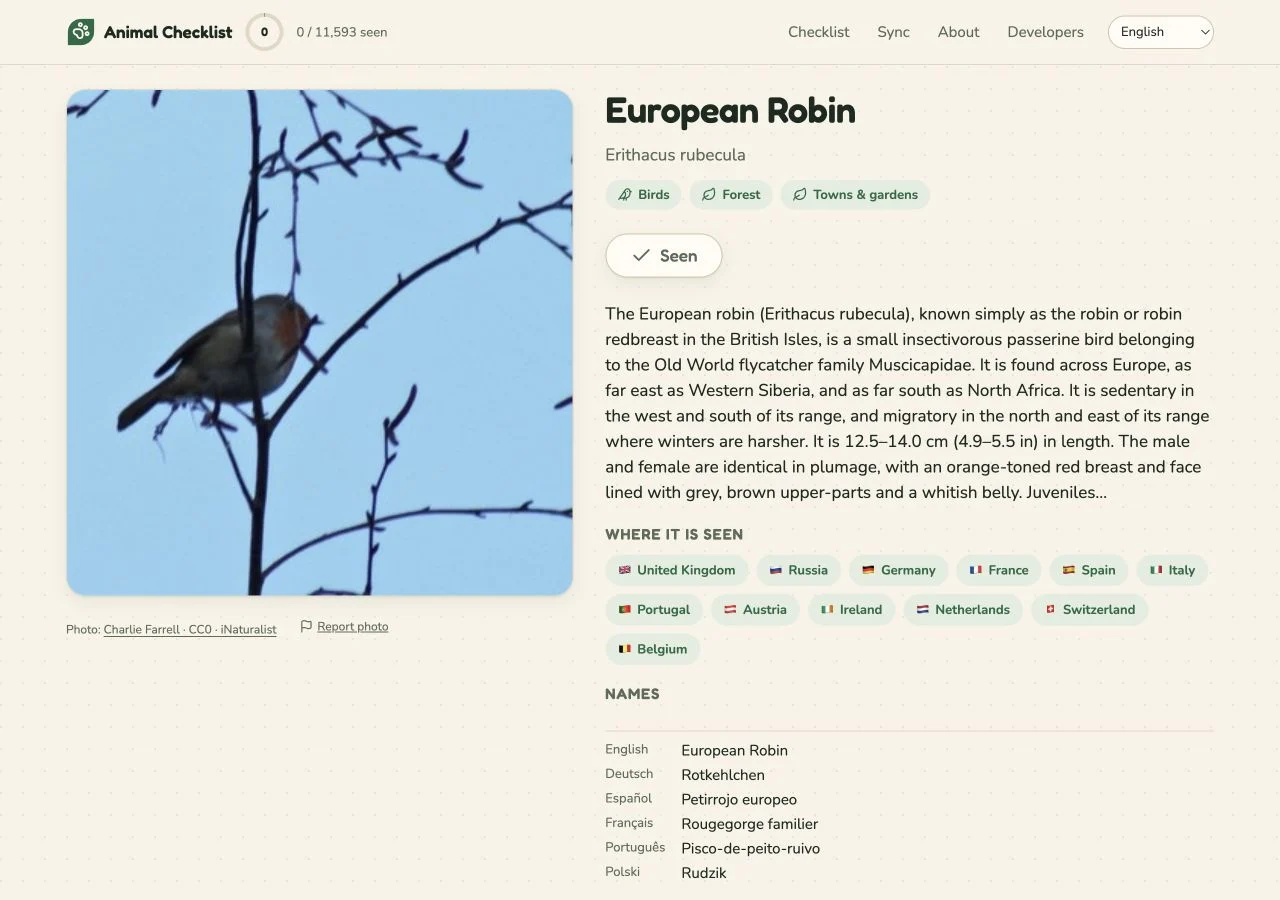
European robin, Rotkehlchen and Erithacus rubecula are three names for the same species. That is a surprisingly practical problem for an animal checklist: you know what you saw, but you may not know the name the app expects.
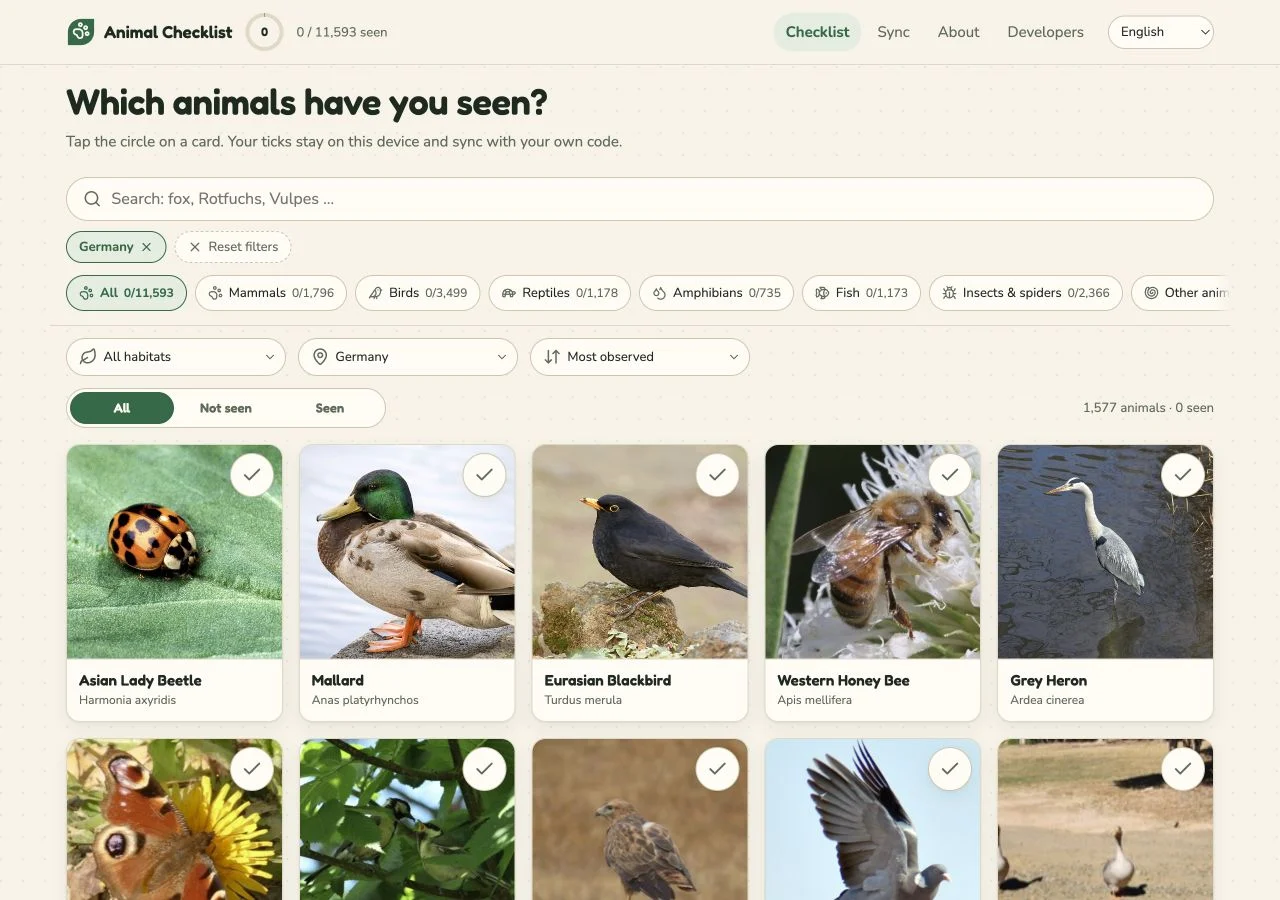
In Animal Checklist, you can search common names across languages as well as scientific names. Find the animal, tap its circle and it is on your seen list. That is the main interaction in this app I build. It reflects a choice about what the list is for: remembering which species you have encountered, without turning every encounter into a separate record.
It is a free personal list of animals you have seen, whether on a walk, on holiday or at a zoo. You can use it on your phone, add it to the home screen and use it offline. There is no account to set up before the first tick.
One bird, several names
Open the European robin page. The card includes the scientific name, Erithacus rubecula. Further down are names including Rotkehlchen, Petirrojo europeo and Rougegorge familier. The page also gives habitat labels and a short species description.
Try searching for “Rotkehlchen” while browsing in English. The name you know leads to the same species as “European robin”. From there, the page lets you compare the names and read about the bird before deciding whether to mark it.
This is more than translating a menu. The names need to lead back to the same animal. Otherwise someone browsing in two languages could treat two labels as two things to mark, or fail to find a species they already know. On the robin page, the scientific name provides a shared reference alongside the familiar names. You do not have to memorise the Latin to use that reference.
Looking up a known bird and identifying an unknown one are different tasks. Search helps with the first; a similar-looking photograph cannot confirm an uncertain sighting. If you need identification help, check a suitable source before marking the bird. The list records your decision without verifying it.
From a name to a tick
If you have seen a robin, tap its circle to mark the species as seen. Seeing another robin tomorrow does not require another entry. The list keeps track of the species, rather than asking you to write up each encounter.
That leaves out details a field notebook might hold: the place, the number of birds and what they were doing. For this app, I want the main action to be something you can finish after a walk without reconstructing the whole outing. Find the animals you recognised, mark them and leave the list ready for next time.
The site includes zoo visits as well as wild encounters. Whether both belong on your own list is up to you.
A species list cannot answer every question about sightings
Imagine three encounters with robins: one in a garden, one on holiday and one on the way to work. A species checklist can represent all three with the same tick. An encounter log would need three records to preserve where and when they happened. Neither representation is universally better; they let you ask different questions later.
“Have I ever seen a robin?” is a good checklist question. “Did I see one on that particular trip?” may already require a notebook. “Are robins appearing here earlier this year?” needs dated observations and much more care about how the information was collected. A growing total on a personal list cannot answer that last question.
iNaturalist’s observation guide makes the distinction explicit: its unit is an encounter with an individual organism at a particular time and place. Its workflow supports photos or sounds as evidence and community identification. That additional information serves a purpose. If you want help with an uncertain identification or want to contribute documented observations, that is a more suitable workflow than simply ticking a card here.
Animal Checklist borrows some source material from iNaturalist, but marking an animal here does not create an iNaturalist observation. A reference photograph tells you about the species; it is not evidence that you encountered it. Keeping those two things separate is part of keeping the list honest.
This also explains why I would not judge the app by how much information it asks you to enter. Asking less makes the small task easier and leaves other questions unanswered. If you need those other answers, keep the encounter record in a tool built for it. You can still maintain a personal species list alongside it.
A list you can take to another phone
The robin is now marked on your phone. To bring that tick to a laptop or a replacement phone, you need the sync code.
Animal Checklist keeps sightings in your browser. The first tick also creates an anonymous sync code, which you can find on the sync page. Enter that code on another device to restore the list. Existing ticks on that device remain; the two lists merge.
The sync page also offers a QR code for moving between devices.
This avoids an email address and password, but it gives the code a real job. Anyone holding it can read and change the synced list. Keep it private and save it before clearing browser data. When recommending the app to someone, send the website address, not your code. The privacy page explains the local copy and the server copy.
Restore means combine, not rewind
The word “restore” can suggest replacing whatever is on a device with an older saved version. Here it means merging the saved list with existing local ticks. That difference matters in a few ordinary situations:
- A fresh device: there are no local ticks to keep, so restoring brings over the saved list.
- Two devices used separately: one has the robin marked and the other has another species marked. Restoring combines the selections; you do not need to choose one device’s list to throw away.
- Two people keeping separate lists: entering another person’s code is not a read-only way to admire their list. It grants access to that synced list and merges with the local ticks. Share the app’s address when recommending it.
Those are examples of the documented merge behaviour, not promises about resolving every possible editing conflict. The important practical point is to save the code while you still have access, then check the list after restoring it on the new device.
Moving between devices is also different from moving between products. The documented sync process restores inside Animal Checklist. It should not be mistaken for a general export you can import into any wildlife service. Likewise, clearing a browser removes the local copy, not the server copy; the privacy page describes a separate request for deleting the latter. A product without an account still has data you may want to move or remove.
The photographs have sources
The animal pages are also reference pages. The About page describes where their material comes from: photos from iNaturalist and Wikimedia Commons under CC0 or public-domain terms, summaries from Wikipedia, and species information from iNaturalist and Wikidata. Photo credits and source links let you follow the material beyond the card. They also separate three things that can look similar on screen: the source photograph, the description of the species and your own decision to mark it. Only the last of those is your personal sighting record.
For an outing to use it on, my EcoAloha article about planning a Pfaueninsel visit works through a day trip around Berlin.
You can also begin with the robin you already recognise: search for its name, mark the card and save your sync code. When you restore that list on another device, the robin comes with it. What travels is the modest claim you chose to keep: you have seen this species. The place, the song and the particular morning may belong in a richer record, but they do not have to become paperwork before you can make that one useful mark.
Written by Arne Kellmann, maker of Animal Checklist. Product descriptions checked against the public source pages on 22 September 2026.